
Troubleshooting SIP 488 Not Acceptable Here Codec Mismatch Errors
Problem
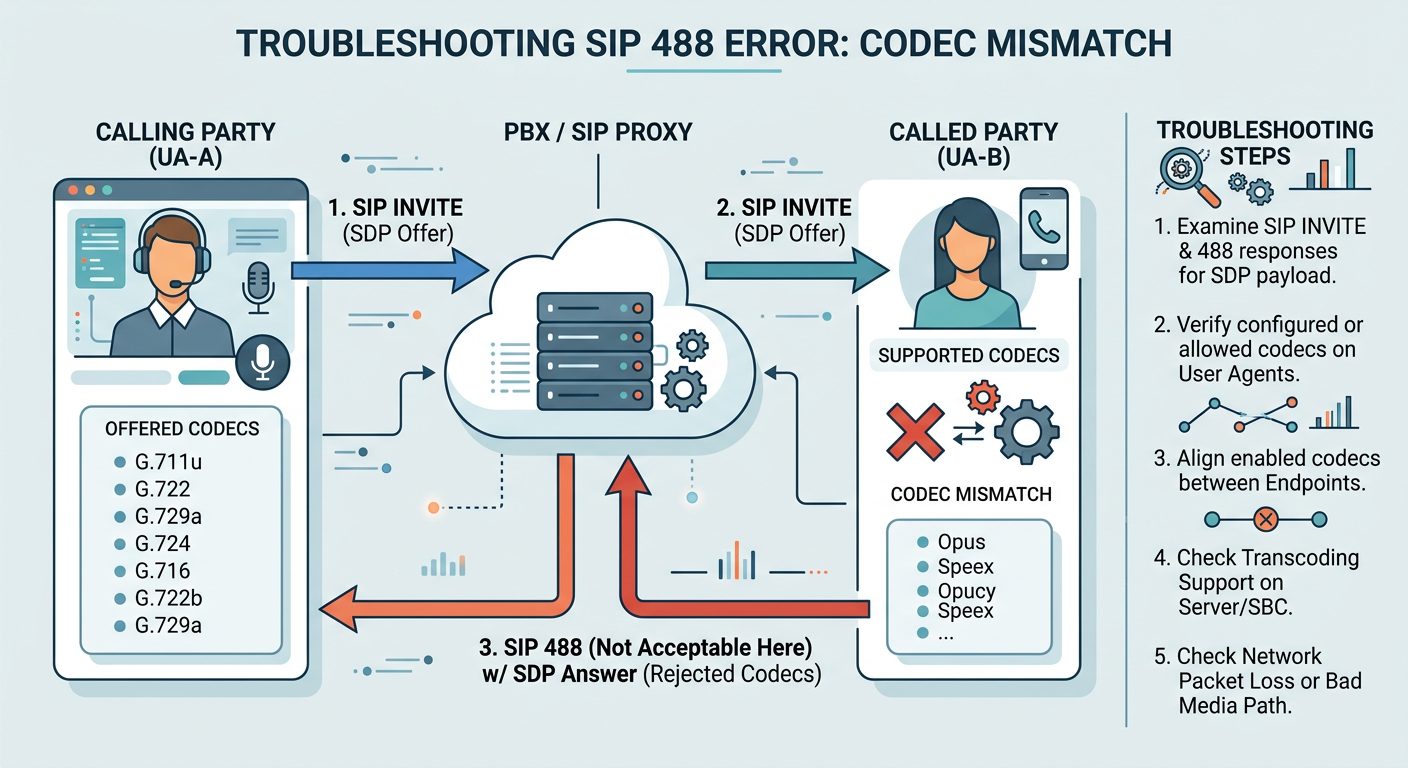
Inbound or outbound SIP calls fail immediately during session setup with a '488 Not Acceptable Here' status code due to incompatible SDP media attributes, codec list mismatch, or mismatched ptime settings between the calling and called endpoints.
Symptoms
- Call disconnects immediately after the initial INVITE with a 488 Not Acceptable Here response.
- SIP traces show an SDP Offer in the INVITE containing codecs not supported by the receiving party.
- No RTP stream is established and media setup terminates within less than 1 second.
- Asterisk CLI outputs warnings such as 'Unable to negotiate codecs' or 'No compatible formats found'.
- Intermittent call drops when routing calls to carriers requiring strict single-codec SDP responses.
Root cause
The SDP Offer sent in the INVITE message specifies media formats (e.g., Opus, G.722, AMR-WB) that do not overlap with the allowed codec list or capabilities configured on the receiving SIP proxy, SBC, or User Agent. Alternatively, strict packetization constraints (ptime), mismatched dynamic payload types, or disabled transcoding modules prevent media stream agreement.
Resolution steps
- step #1
Capture the SIP call flow on the server or SBC using sngrep to examine the SDP payload of the original INVITE and the 488 response.
bashsngrep -d eth0 -c 'sip.Status-Code == 488 or sip.Method == INVITE' - step #2
Extract and inspect the offered codec formats and dynamic payload attributes from the SDP body of the INVITE using tshark.
bashtshark -r capture.pcap -Y "sip.Method == INVITE" -T fields -e sdp.media.format -e sdp.mime.type - step #3
Check the configured allowable codecs on the Asterisk PJSIP endpoint or trunk inside pjsip.conf to identify allowed media formats.
ini[my_carrier_trunk] type=endpoint transport=transport-udp context=from-external disallow=all allow=ulaw,alaw,g729 - step #4
Update the PJSIP endpoint configuration to include the required codec present in the carrier's SDP offer, or reorder codec preferences.
ini[my_carrier_trunk] type=endpoint disallow=all allow=opus,g722,ulaw,alaw - step #5
If codec convergence is not possible natively on the endpoint, enable media transcoding modules inside Asterisk by verifying codec translation modules are loaded.
bashasterisk -rx "core show translation" - step #6
Standardize the audio packetization time (ptime) in the endpoint configuration if the remote party rejects non-standard framing (e.g., requiring 20ms).
ini[my_carrier_trunk] type=endpoint allow=ulaw ptime=20 - step #7
Reload the PJSIP configuration module to apply changes without dropping active calls.
bashasterisk -rx "module reload res_pjsip.so" - step #8
Place a test call while monitoring the live PJSIP channel debug output to confirm successful SDP codec agreement and 200 OK establishment.
bashasterisk -rx "pjsip set logger on"
Verification evidence
A sngrep or Wireshark capture shows an INVITE containing 'm=audio 10000 RTP/AVP 107 9 0' followed by an immediate '488 Not Acceptable Here' response from the destination IP, with Asterisk logs printing 'pjsip: NOTICE - No common codecs between offerer and answerer'.